


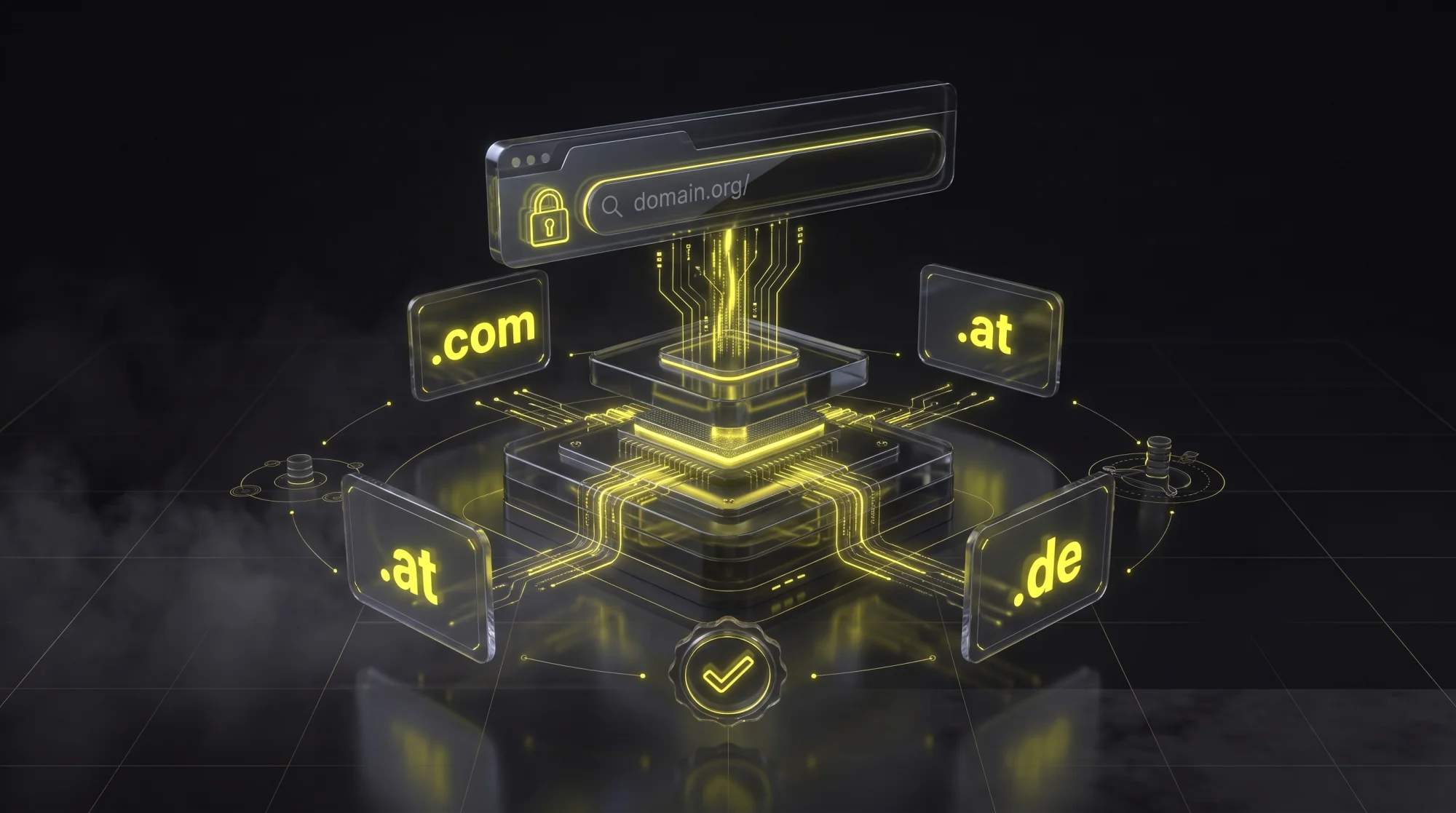
What is a Domain?
A domain is your website's address on the internet – for example, goldenwing.at or your-company.com. It is the digital equivalent of a business address and often the very first touchpoint between your company and potential customers.
Technically, a domain consists of two parts: the name (e.g., "goldenwing") and the extension or TLD – Top Level Domain (e.g., ".at"). Together they form your unique web address through which visitors find your website. Without a domain, your website would only be accessible via a cryptic IP address like 104.21.8.149 – not exactly what you want to print on your business card.
Domain Extensions (TLDs) Compared
Choosing the right domain extension depends on your target audience and business model. Here are the most important options for businesses in Austria and Europe:
.at – The Austrian Choice
The .at domain sends a clear signal: "We are an Austrian company." Ideal for local service providers, tradespeople, and businesses primarily operating in Austria. It builds trust with Austrian customers and is beneficial for Local SEO. If your target audience is in Austria, .at should be your first choice.
.com – The International Standard
The .com extension is the world's most recognized and trusted TLD. Perfect for companies with an international focus or when the .at version is already taken. Currently available from just €0.01 in the first year at Hostinger – that's practically free.
.de, .ch – The DACH Region
If your target audience is in Germany or Switzerland, country-specific extensions make sense. Many Austrian companies secure all three (.at, .de, .ch) and redirect them to their main domain. This protects the brand and captures local search traffic.
.io, .tech, .dev – For Tech Companies
Modern extensions that are particularly popular among startups and technology companies. Great for SaaS products, apps, and developer tools. However, less familiar to end consumers – your grandmother might not trust a .io website as much as a .com.
.shop, .store – For Online Stores
Ideal for e-commerce businesses. The extension immediately communicates what your business does. Available from €0.99/year at Hostinger.
How to Buy a Domain: Step by Step
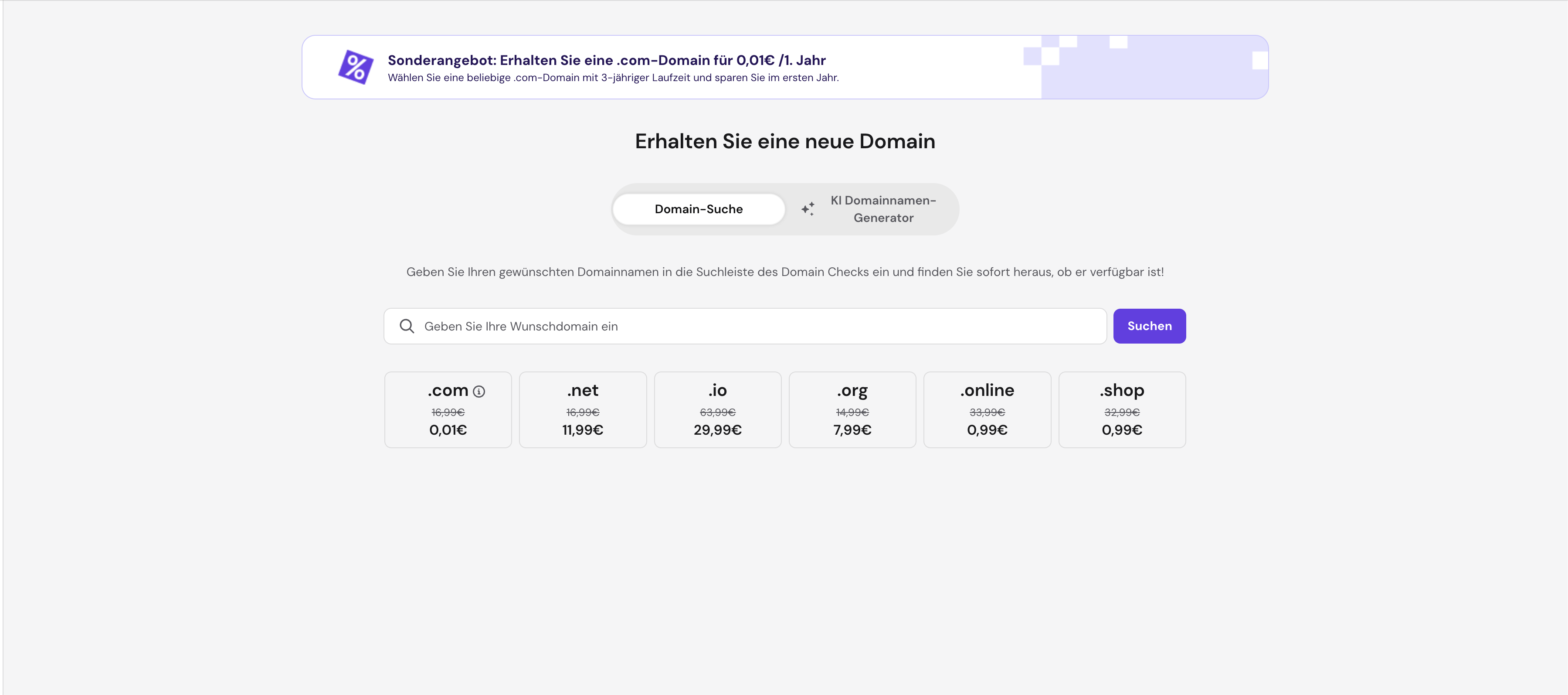
Purchasing a domain takes just a few minutes:
- Check your desired name: Enter your desired domain name at a domain registrar. We recommend Hostinger – affordable prices, fast DNS management, and reliable multilingual support.
- Choose your extension: Decide on the right TLD (.at, .com, etc.). When in doubt: .at for local businesses, .com for international ones.
- Complete registration: Choose a term (1-3 years), enter your contact details, and pay. The domain is active immediately.
- Configure DNS: Connect the domain to your hosting. At Hostinger, this is done in just a few clicks since domain and hosting are managed from one dashboard.
Pro tip: If your desired .at domain is taken, try variations: add your city (your-company-vienna.at), use a different TLD, or consider a slightly different spelling. But never choose a name that's confusingly similar to an existing brand – that can lead to legal trouble.
What Does a Domain Cost?
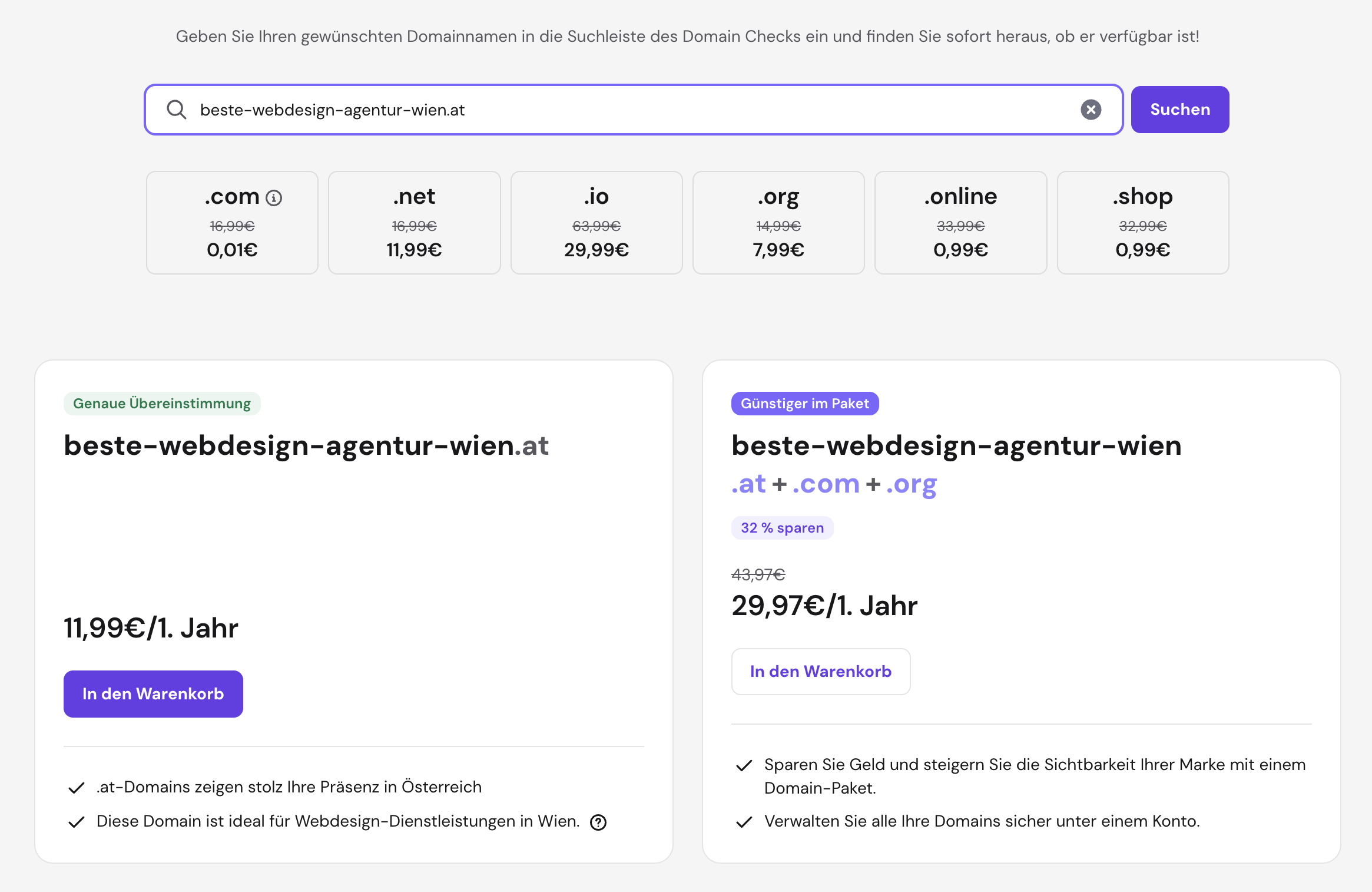
Costs vary depending on the extension and registrar. Here are current prices at Hostinger:
- .com: from €0.01/year (1st year) – regular price €16.99/year
- .at: from €11.99/year
- .net: from €11.99/year
- .org: from €7.99/year
- .io: from €29.99/year
- .online: from €0.99/year
- .shop: from €0.99/year
Tip: Many registrars offer heavily discounted prices in the first year. Pay attention to the renewal costs – they are often significantly higher than the introductory price. A .com for €0.01 sounds great, but if the renewal costs €16.99, you should factor that into your budget.
Domain vs. Hosting: What's the Difference?
This difference confuses many beginners:
- Domain = Your address (e.g., your-company.at). It shows where your website can be found.
- Hosting = The storage space where your website files reside. Like the apartment behind the address.
You need both for your website to be accessible. At Hostinger, you can book domain and hosting together – this saves setup effort and you have everything in one dashboard. Alternatively, you can register the domain with one provider and host the website elsewhere – the DNS settings connect the two.
Understanding DNS Settings
DNS (Domain Name System) is the "phonebook of the internet" – it translates domain names into IP addresses. Here are the most important DNS records you should know:
- A Record: Connects your domain to your server's IP address. The most important record – without it, your website won't load.
- CNAME: Creates an alias for another domain. Often used for www redirects (www.your-site.at → your-site.at).
- MX Record: Determines which server receives your emails. Essential for email services like Google Workspace or Microsoft 365.
- TXT Record: Stores arbitrary text information. Used for SPF, DKIM, and DMARC (email security) as well as domain verification for services like Google Search Console.
- NS Record: Specifies which nameservers are responsible for your domain. Usually set by your registrar.
Practical tip: At GoldenWing, we configure DNS settings for our clients as part of the website project. If you're unsure about what to set, we're happy to take care of it.
Choosing the Right Domain: 7 Tips
- Short and memorable: The shorter, the better. Avoid hyphens and numbers whenever possible. "goldenwing.at" is better than "golden-wing-studios-vienna.at".
- Use your brand name: Your domain should ideally match your company name (e.g., goldenwing.at). This strengthens brand recognition.
- Easy to spell: If you have to dictate the domain over the phone, it should be immediately understood. Avoid words that can easily be misspelled.
- Avoid special characters: Even though .at domains allow umlauts (e.g., müller.at), use the standard spelling (mueller.at) instead. Not all systems support special characters.
- Secure multiple extensions: Register at least .at and .com to prevent brand squatting. The cost is minimal – the protection is invaluable.
- Think future-proof: Don't choose a name too closely tied to a specific product. Your business might evolve, and "vienna-wordpress-webdesign.at" limits you unnecessarily.
- Check availability: Don't just check the domain – also verify social media handles and trade register entries to avoid naming conflicts.
Domain and SEO: What You Need to Know
Your domain has a direct impact on your Google rankings:
Exact Match Domains (EMD): Domains like "web-design-vienna.com" used to rank automatically well for "web design Vienna." Today, Google has significantly reduced this advantage. A brandable domain like "goldenwing.at" is the better long-term choice – it builds trust and is more memorable.
Domain Age: Older domains tend to have more trust with Google. If you're buying an existing domain, first check with the Wayback Machine whether the domain is clean (no spam content in its history).
HTTPS is Mandatory: Google prefers encrypted websites. Make sure your hosting provider includes an SSL certificate – at Hostinger, it's free.
Local TLDs Help Local SEO: A .at domain signals to Google that your website is relevant for Austrian users. In combination with a Google Business Profile and local content, this is a strong ranking signal.
Common Domain Buying Mistakes
- Waited too long: Your desired domain can be registered by someone else at any time. If the name is available, secure it immediately – domains cost just a few euros per year.
- Only registered one extension: Secure at least .at and .com to protect your brand. A competitor or domain squatter could register the other extension and cause confusion.
- Forgot Whois protection: Without domain privacy, your personal contact details are publicly visible. Most registrars offer Whois protection for free – always activate it.
- Domain at the wrong provider: Some web designers register the domain on their own account. Make sure that you are the domain owner. Always check who is listed as the registrant.
- Missed renewal: If the domain expires, it can be registered by third parties. Activate automatic renewal and keep your payment details up to date.
Conclusion: Your Domain is Your Digital Identity
A domain is more than just a web address – it's your digital brand, your online business card, and an important SEO factor. Take the time to make the right choice, secure all relevant extensions, and ensure you have a reliable registrar.
Our recommendation: Hostinger offers affordable domain prices, free SSL, simple DNS management, and multilingual support. A .com domain is currently available from €0.01 in the first year.
Need help choosing a domain or setting up your website? At GoldenWing, we help you from domain registration to the finished web presence – everything from one source.